Approval workflow for Xero
Catch the warning signs on every bill before anyone approves it.
WorkApproved checks each bill for 19 warning signs, such as a changed supplier bank account or a duplicate invoice, then sends it through the workflow you set up, to the right people, with a certificate attached in Xero. Approvers can decide from an email or a phone, with no Xero login.
7-day free trial. Card needed.
From NZ$39 + GST per Xero organisation per month
Unlimited users. No cap on documents or approvals. See pricing
Workflows for the documents you actually approve
Bills (purchase invoices)
Route supplier bills before they are authorised for payment in Xero, with the 19 risk checks.
Sales invoices
Approve sales invoices before they are authorised in Xero, routed by amount, customer or account code.
Purchase orders
Approve purchase orders before the spend is committed.
Each document type has its own workflow, switched on separately.
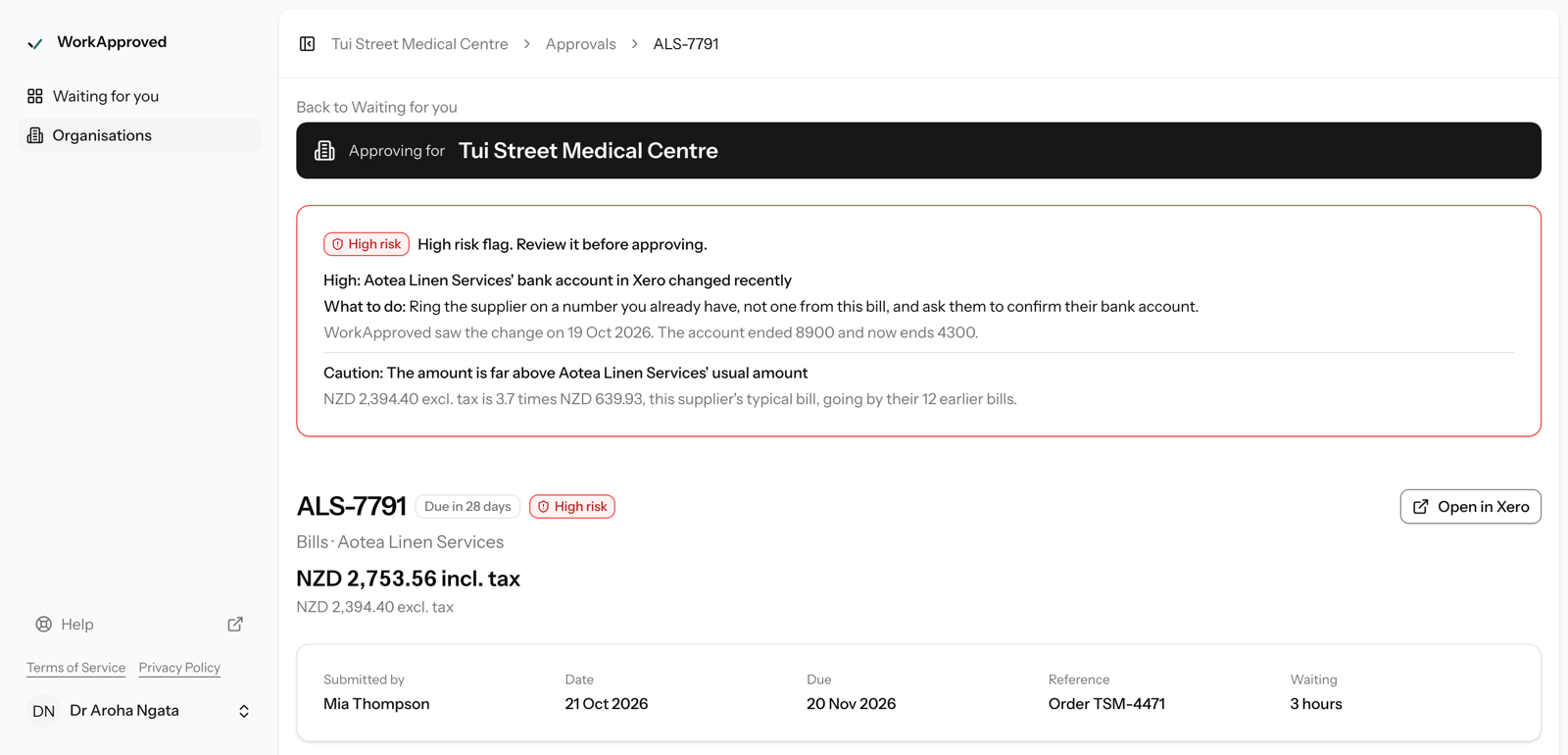
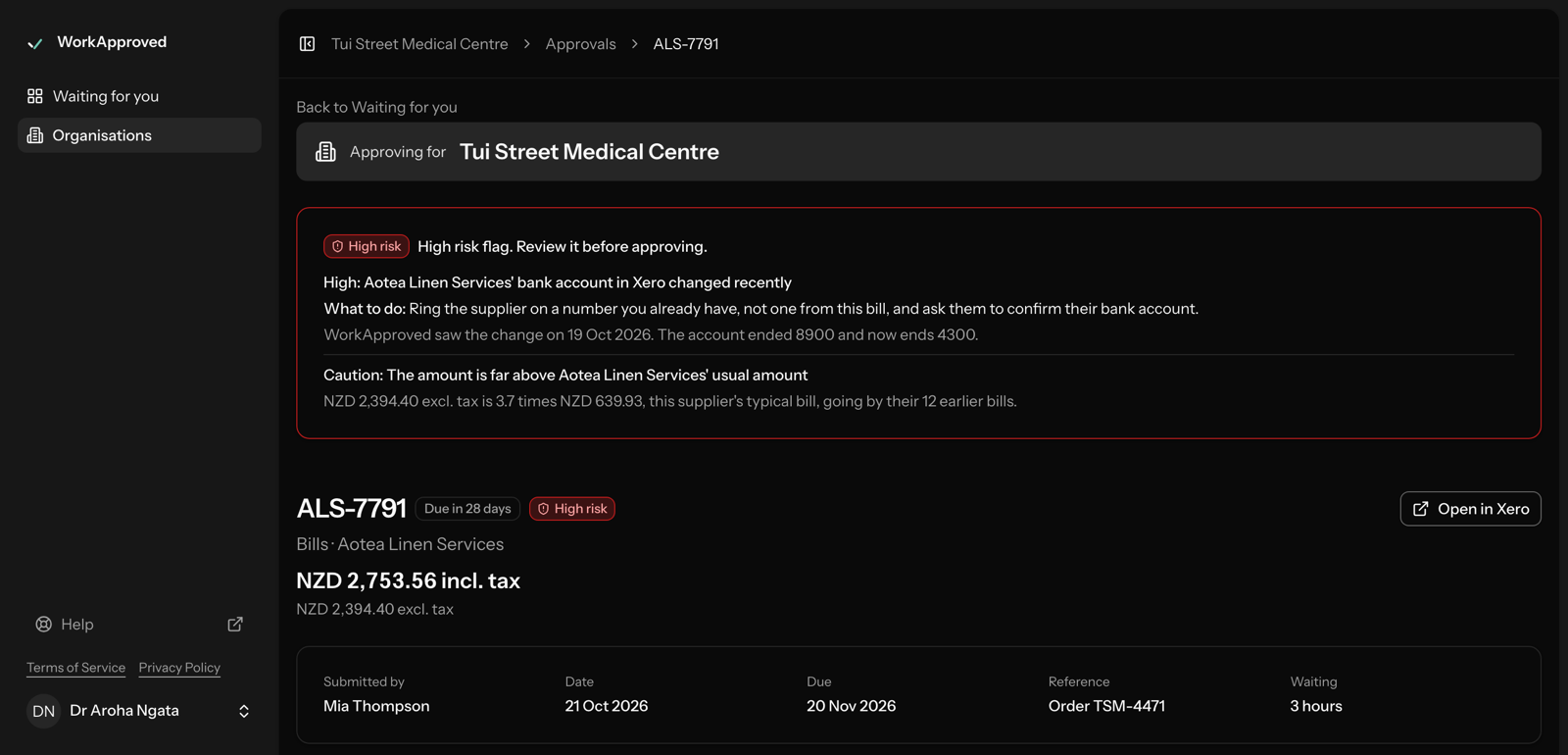
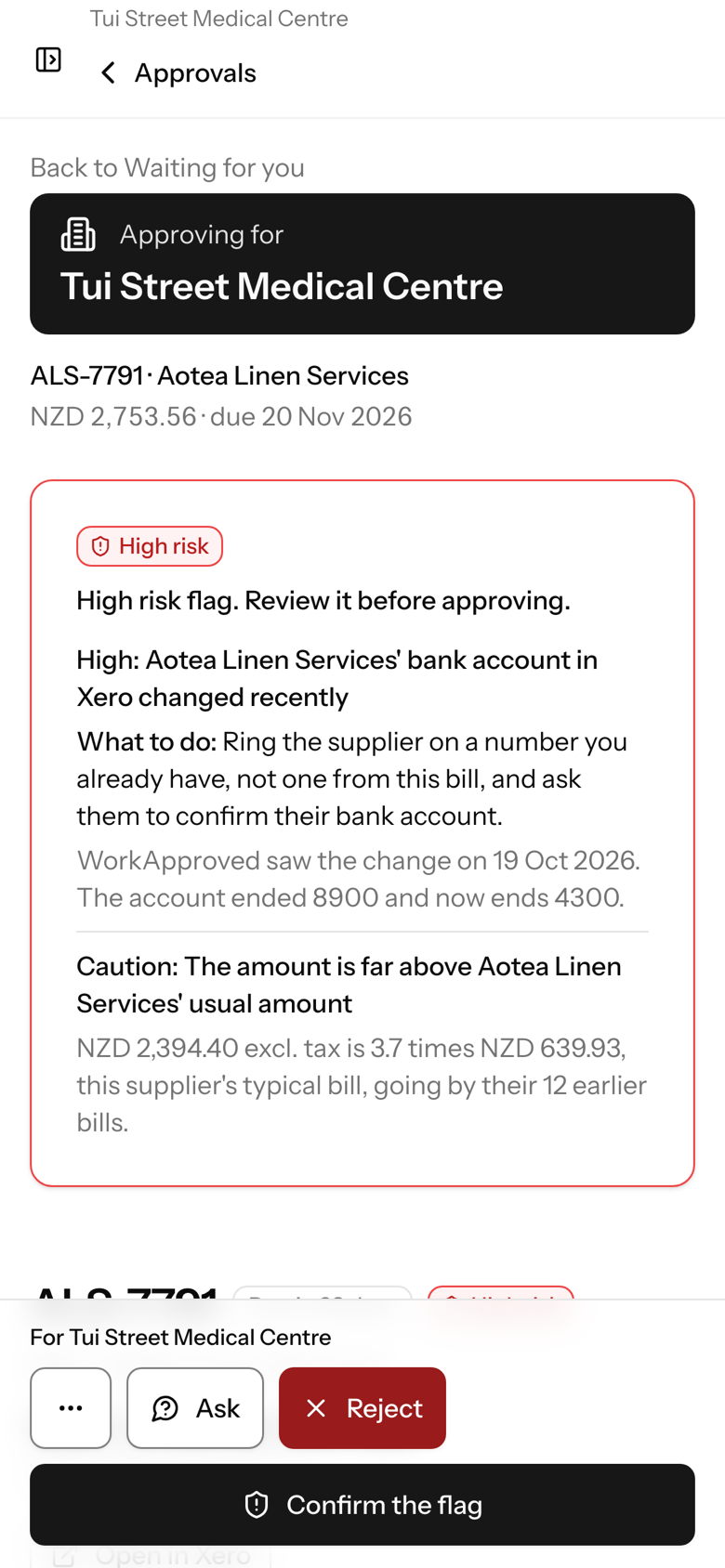
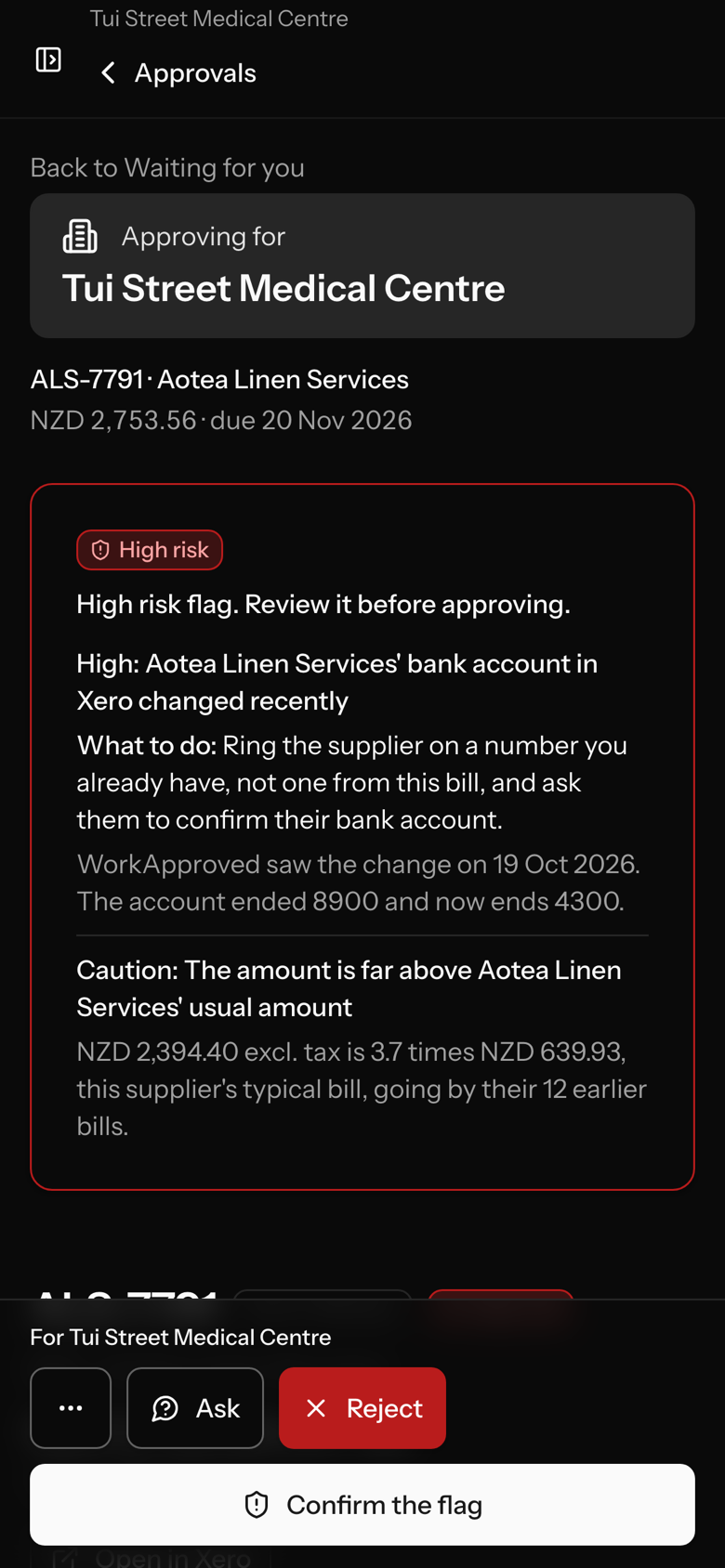
- High: the supplier's bank account in Xero changed recently.
- Caution: the amount is far above the supplier's usual amount.
Risk checks
Every bill is checked before it is approved.
19 checks look for common warning signs of error and fraud, such as a changed supplier bank account, a bank account on the PDF that differs from Xero's, a duplicate, or an amount far above what that supplier usually charges. Each flag says what was found and what to do. A high-risk flag must be acknowledged before the bill can be approved.
Workflows
Workflows you set up your way.
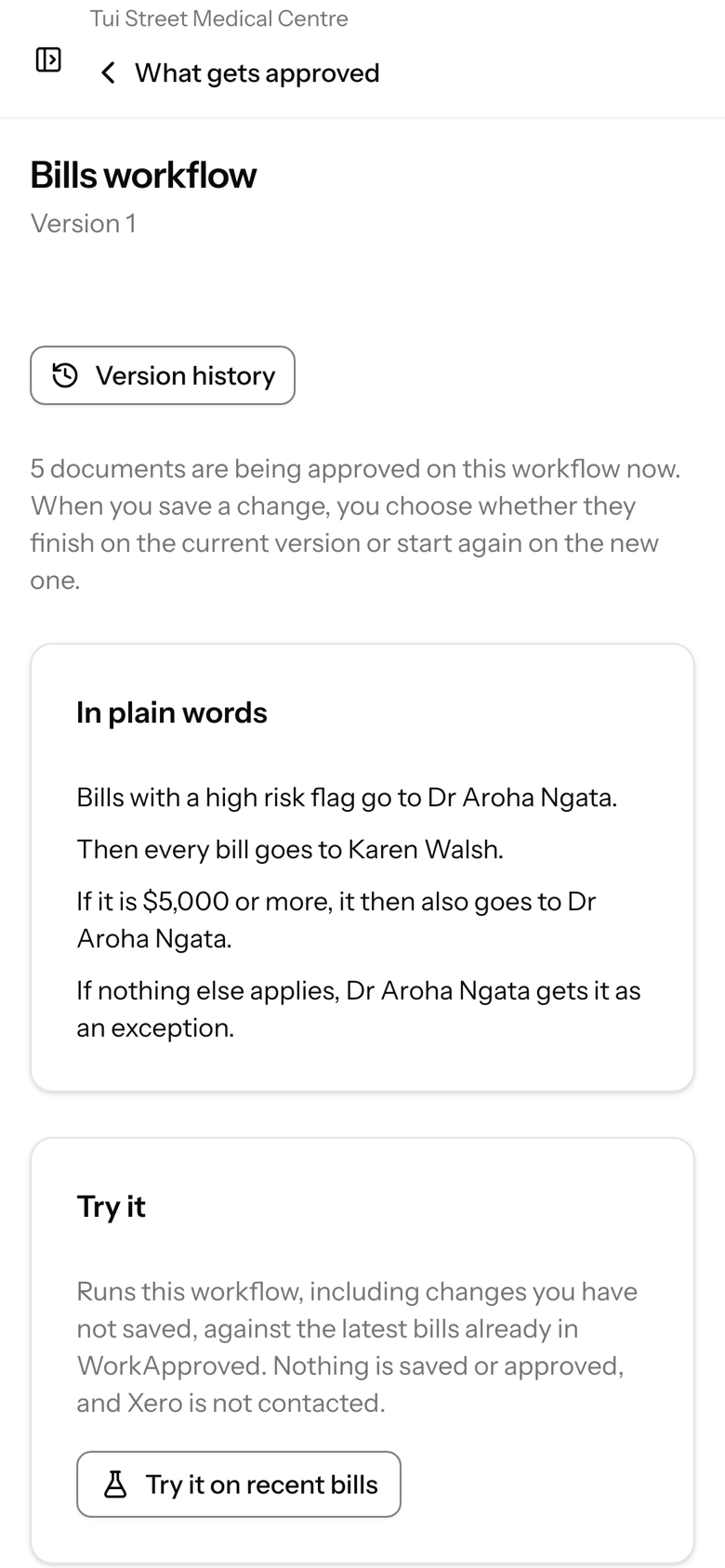
Several steps, any-one-of or all-of approvers, branching by amount, supplier, account code or tracking category, reminders and escalation, and stand-ins. The rules read back in plain words.
Approvers
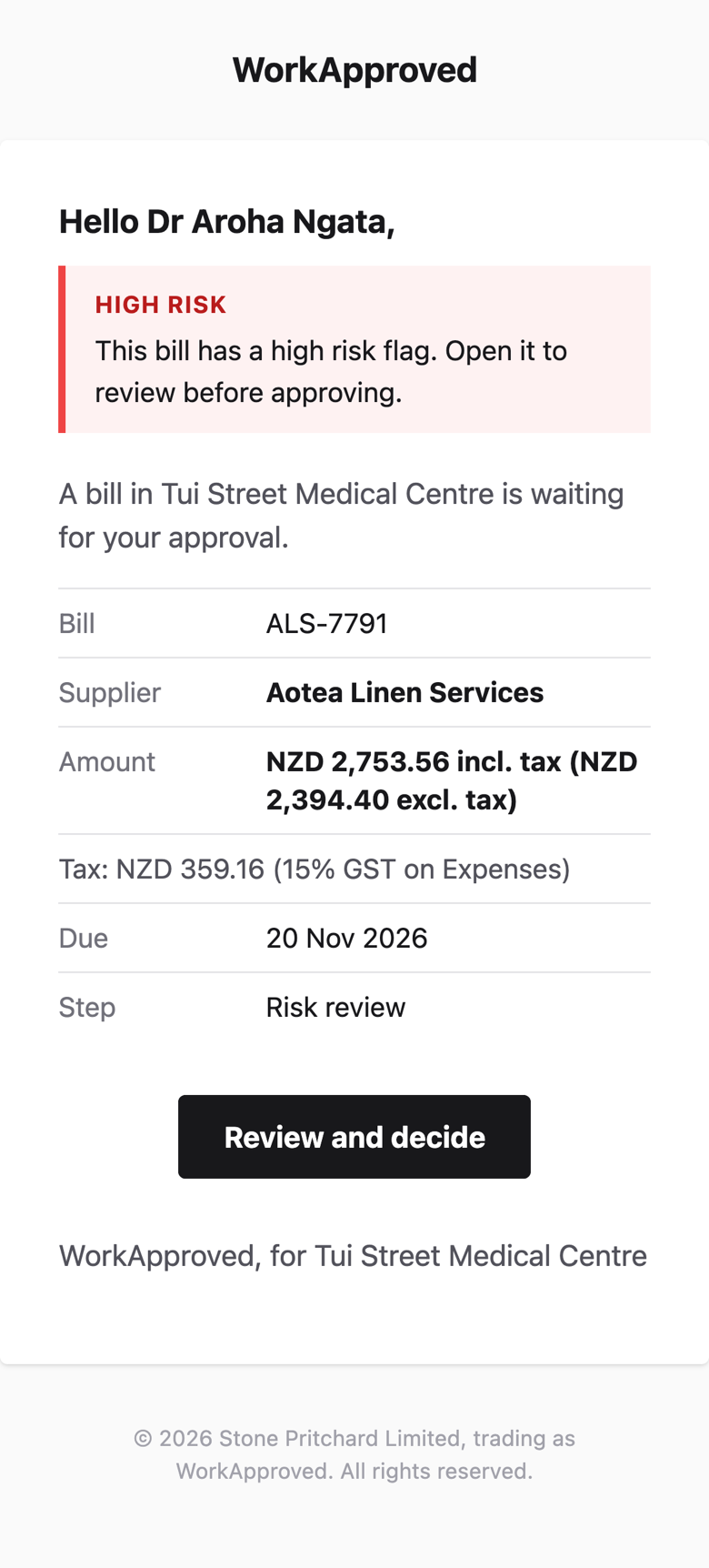
Approvers need no Xero login.
A personal, expiring link per person and step, on a phone or computer.
Proof and alerts
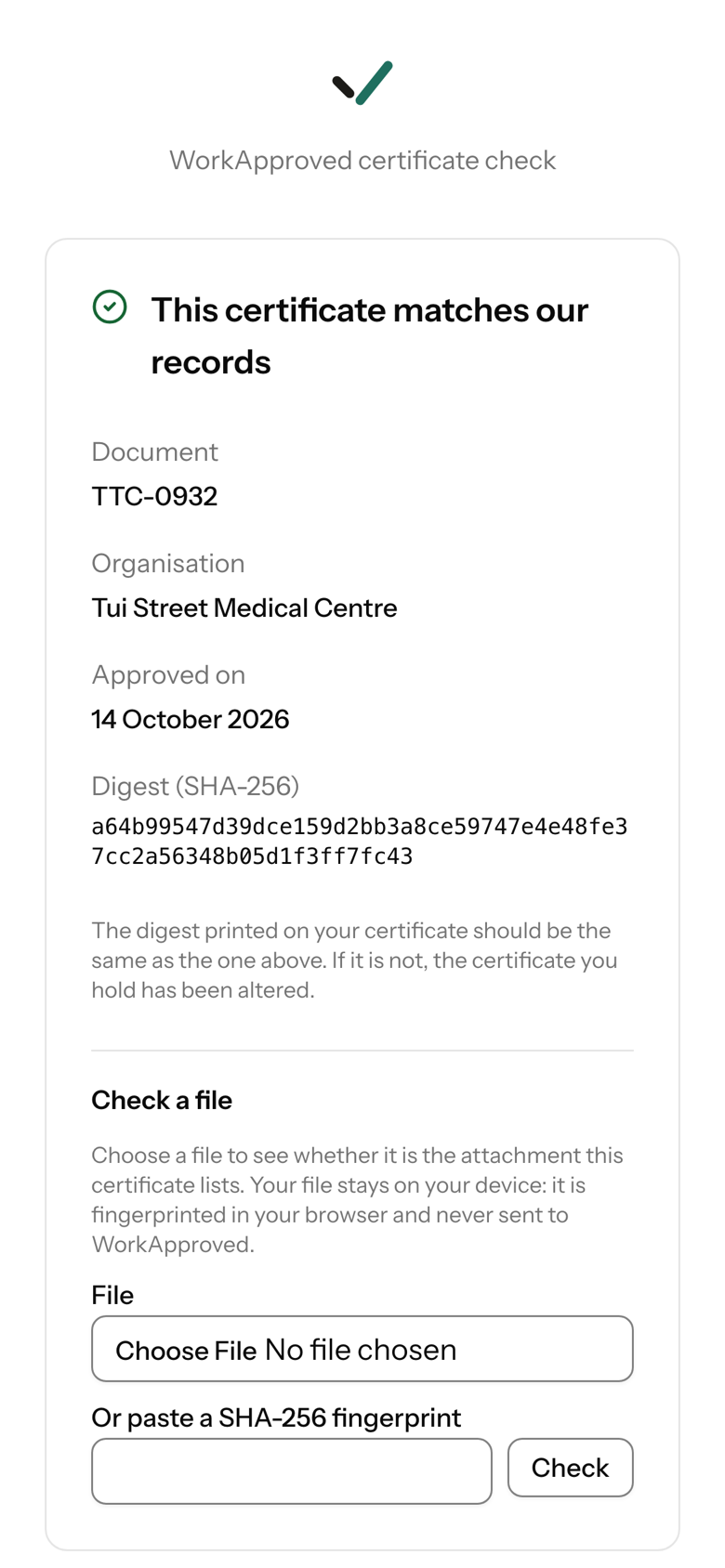
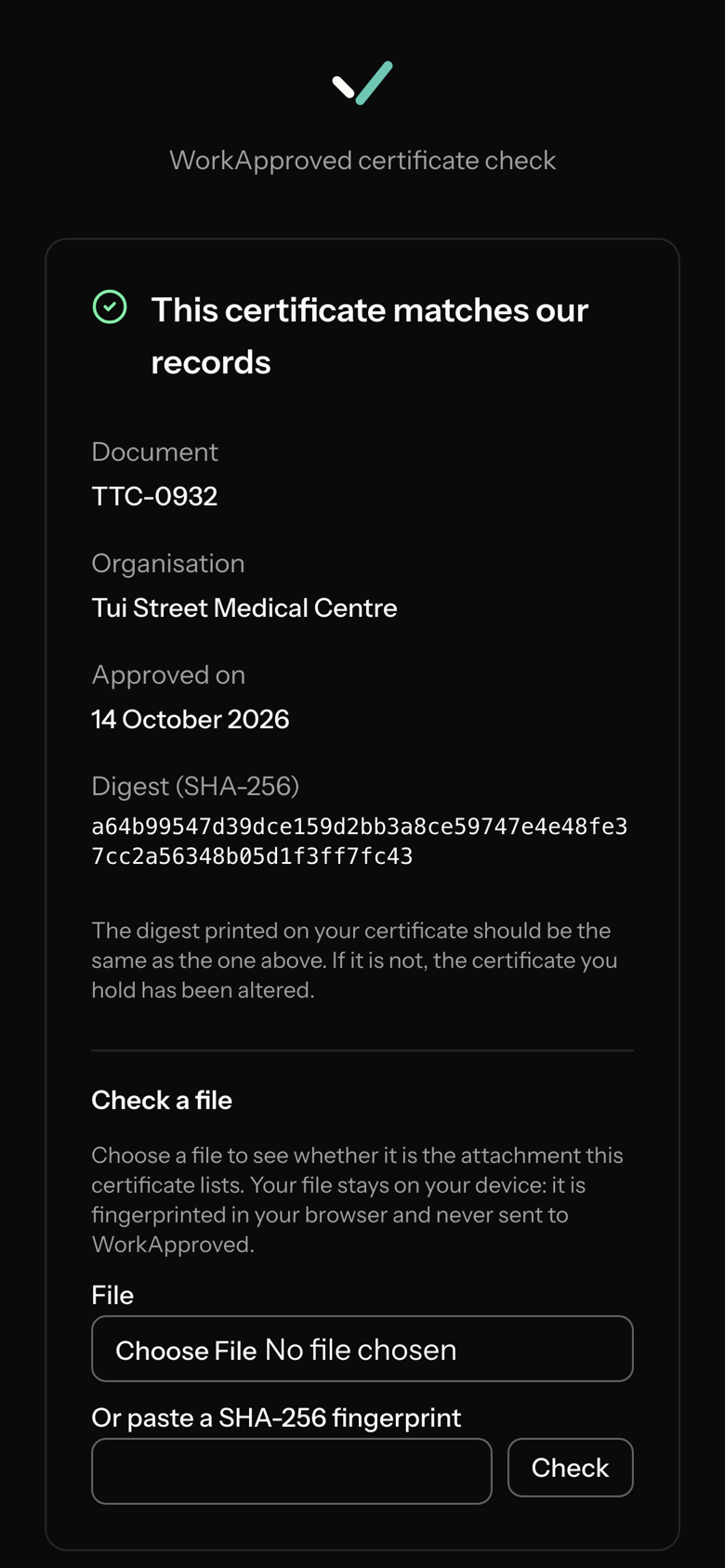
Proof, and alerts if something goes round the process.
A certificate is attached to the document in Xero and its link opens a public page that checks it (the PDF is not digitally signed). If a document is authorised in Xero by hand, or changed after approval, your organisation's administrators are alerted.
How it works
Step 1
Submit in Xero.
Connect Xero and choose which document types need approval. When a bill, purchase order or sales invoice is submitted for approval in Xero, it enters its workflow.
Step 2
The right people decide.
Your rules pick the approvers. They get a personal link by email and decide on a phone or computer. A rejection needs a reason and sends the document back to draft.
Step 3
Xero gets the proof.
On final approval WorkApproved authorises the document in Xero and attaches a certificate that shows who approved, when and in what order.
Who it is for
Finance managers and treasurers
You run Xero. The people who must say yes do not. Send each bill to them, chase nothing, and keep the evidence.
FeaturesAccountants and bookkeepers
One console for every client's approvals, your branding in their emails, a partner rate.
For accountantsScreens shown are illustrative and evolve as we release improvements.