Features
How WorkApproved approves Xero documents
WorkApproved checks every bill for 19 common signs of error and fraud, then sends each bill, purchase order and sales invoice through the workflow you set up, to the right people, before it is authorised in Xero. Approvers need no Xero login, and every approval leaves a certificate attached in Xero.
7-day free trial. Card needed.
Risk checks
Risk checks on every bill
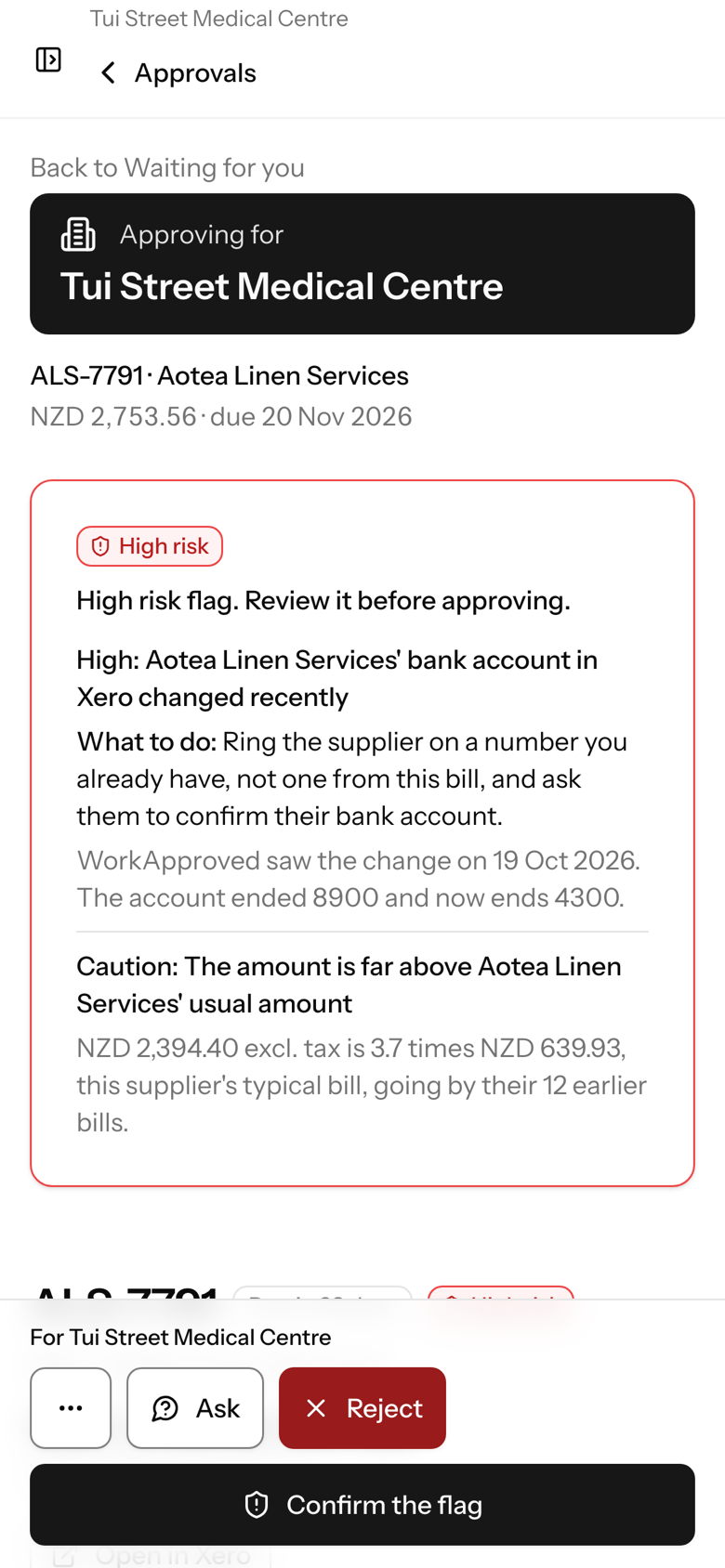
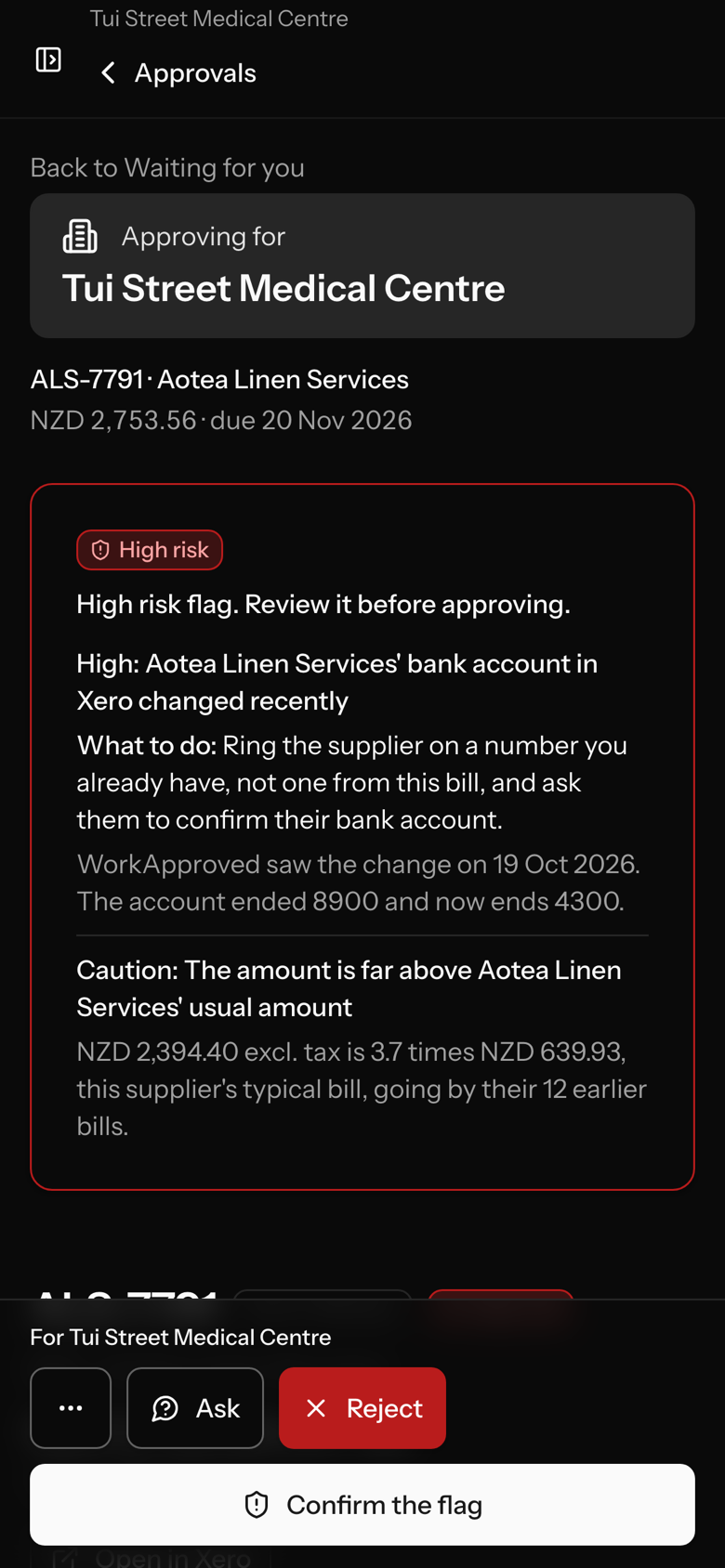
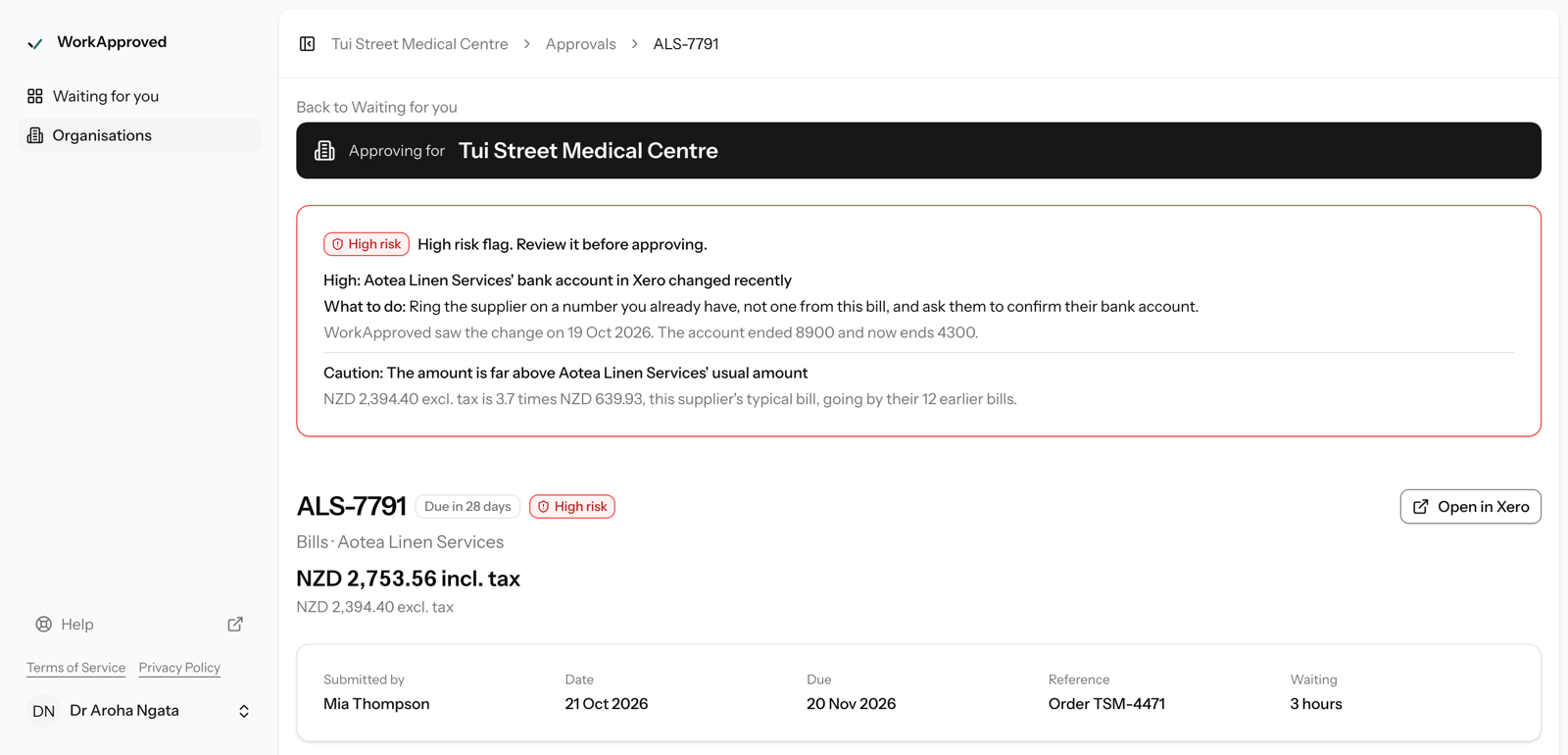
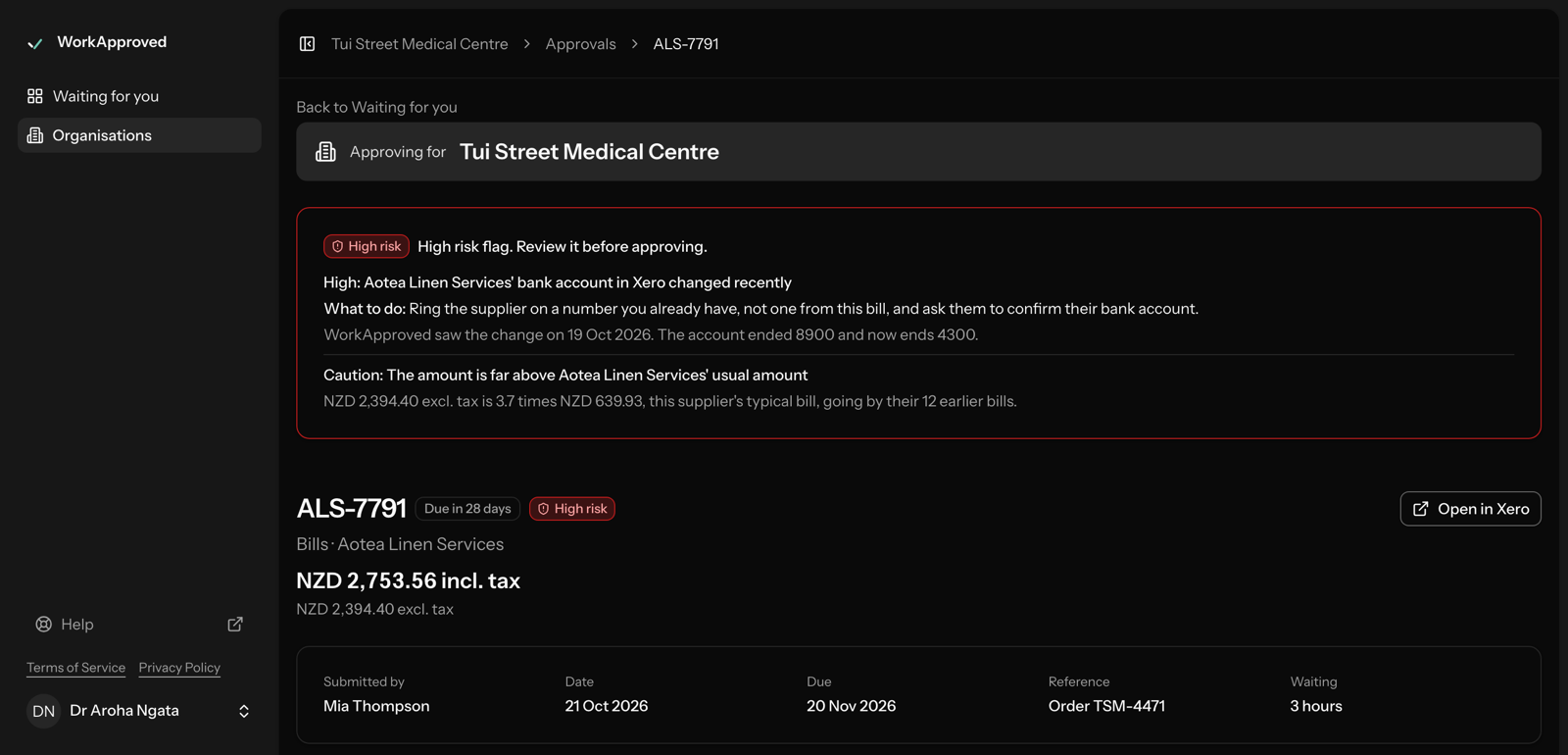
19 checks run on each bill and flag common signs of error and fraud, including:
- a supplier's bank account that changed recently, or a bank account on the PDF that differs from the one in Xero;
- a duplicate invoice number, or the same file attached to another bill;
- an amount just under an approval limit, or a bill split to stay under one;
- an amount far above that supplier's usual, or a first-time supplier;
- a PDF that was edited after it was created.
Each flag has a level (high, caution or info), says what it found and what to do, and never silently blocks a bill. A high flag must be acknowledged before the approver can approve. Administrators can switch each check off and choose what each person can see. Bills only. We flag common signs of error and fraud. The full list of checks and their thresholds is shown to administrators and auditors only, so it cannot be gamed.
Workflows
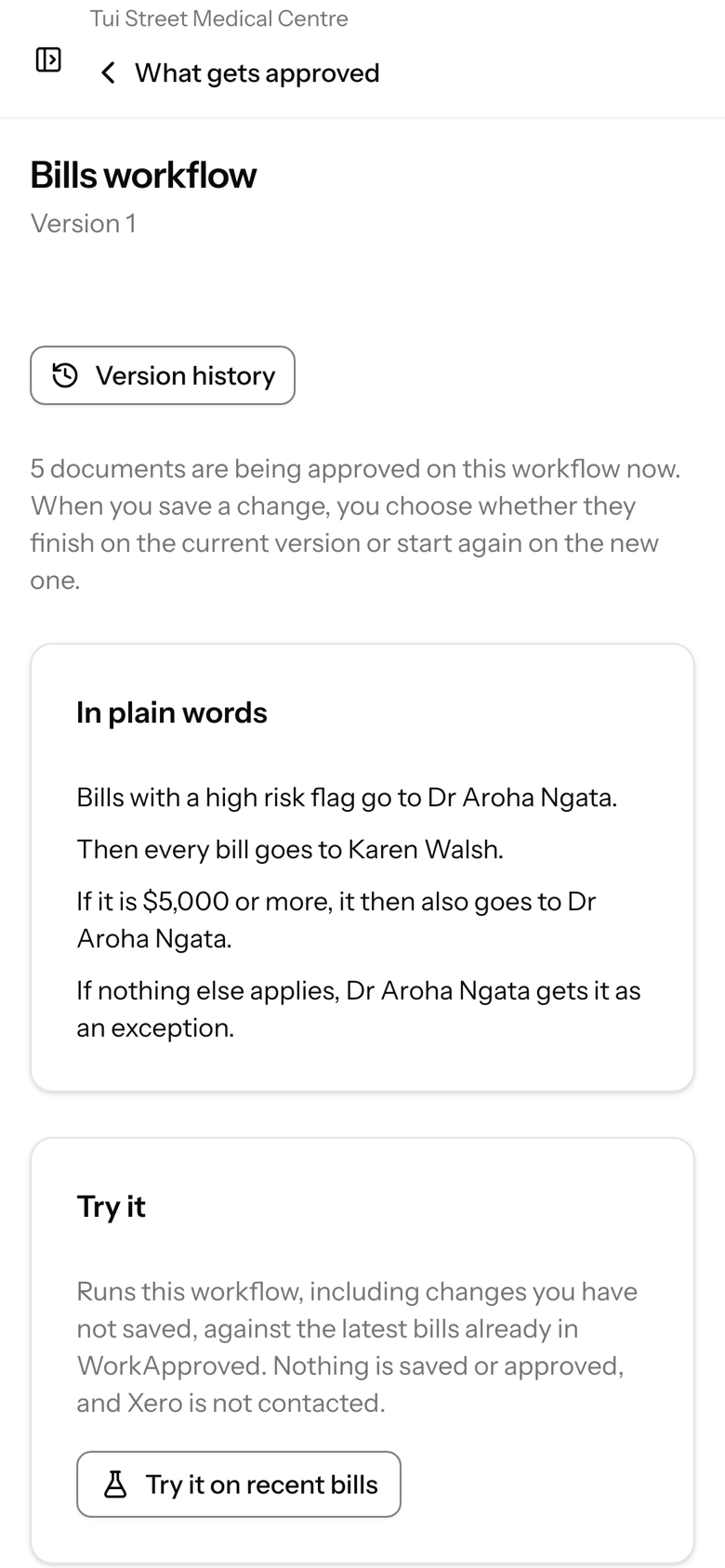
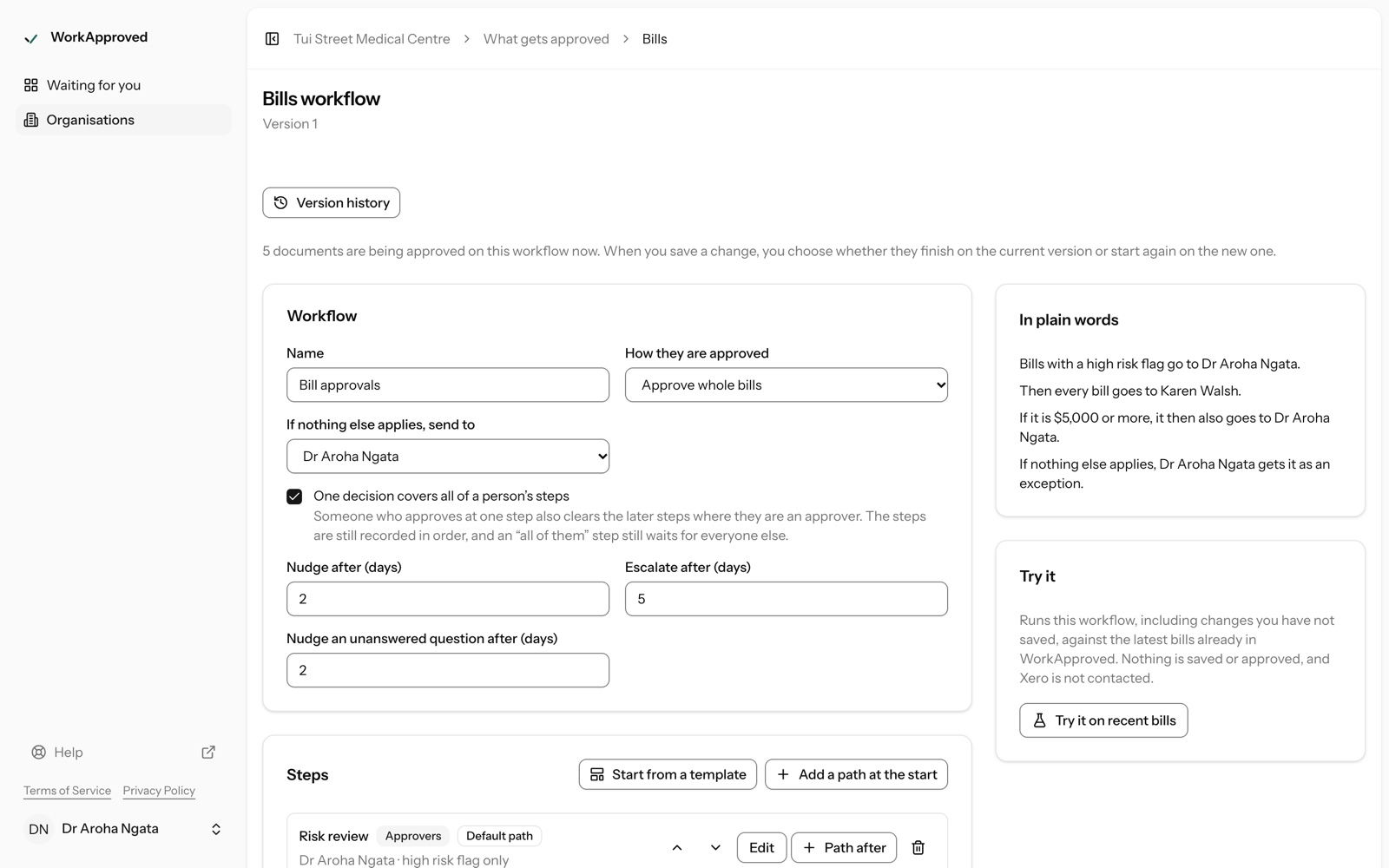
Rules that decide who approves
- Steps in order, each with one or more approvers; any-one-of or all-of at each step.
- Branch by supplier, Xero contact group, amount, account code, tracking category, line details or risk level.
- Amount thresholds, auto-approval rules, and a catch-all person so nothing is stranded.
- Self-approval can be blocked.
- Reminders, escalation to a fallback person when an approval stalls, and dated stand-ins for holidays.
- The rules are shown back in plain words, with versions kept and a trial run before you switch them on. (Help: Set up a workflow)
Approvers
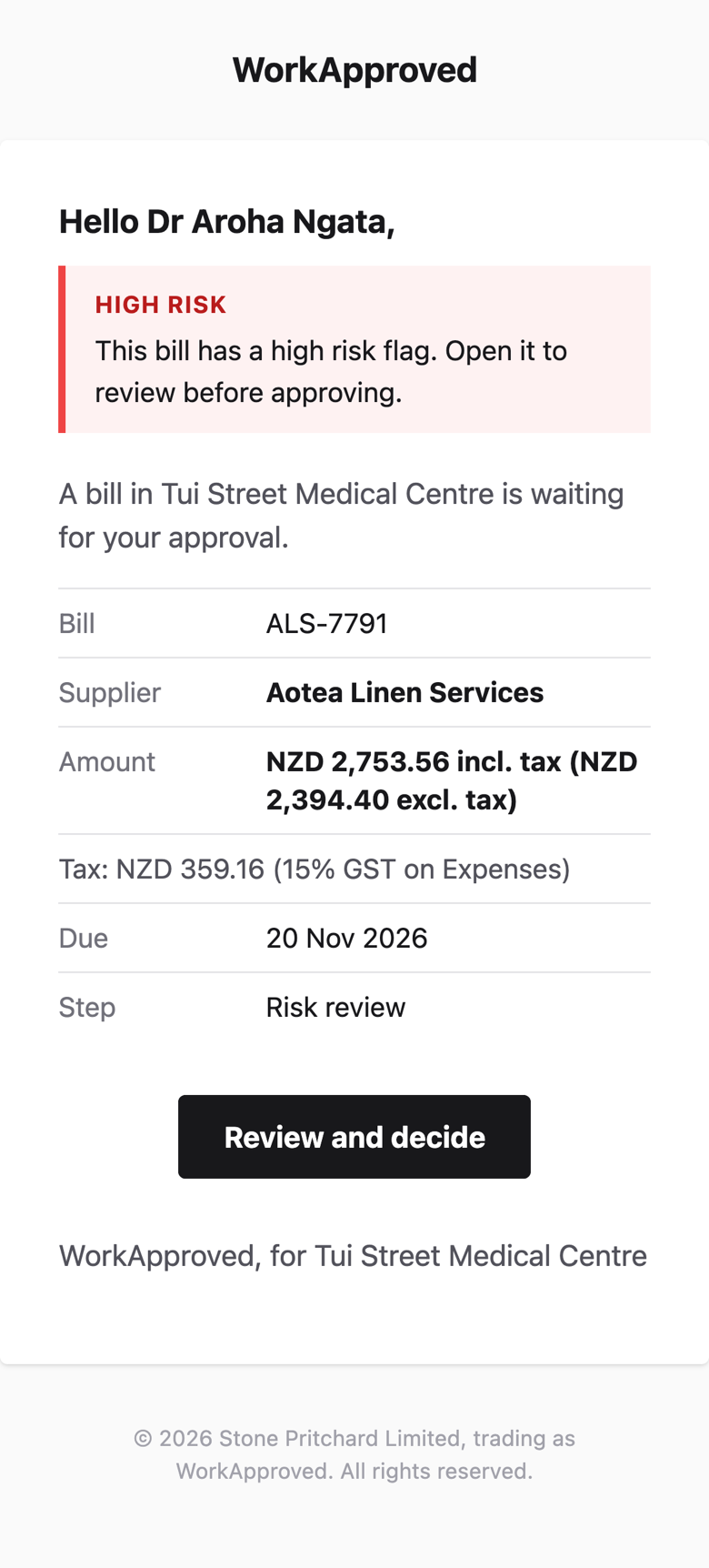
Approvers without a Xero login
An approver can be anyone with an email address. They get a personal link for that step, which expires and works only for that person. Opening the link shows the document and changes nothing; approving, rejecting or asking a question is a separate button. Works on a phone, and can be added to the home screen. They can approve, reject with a reason, or ask a question. (Help: Approve by email)
Certificate
A certificate for every approval
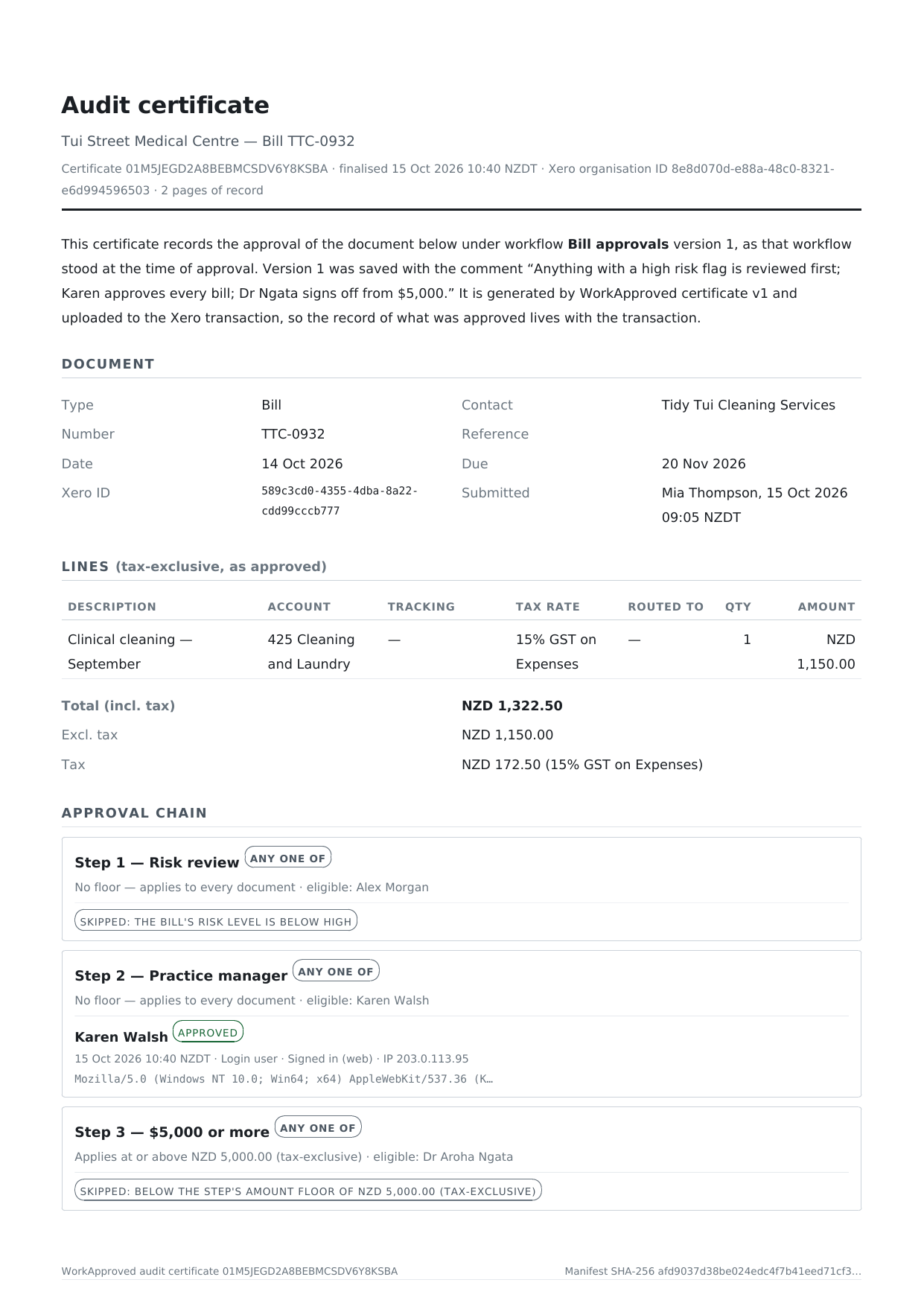
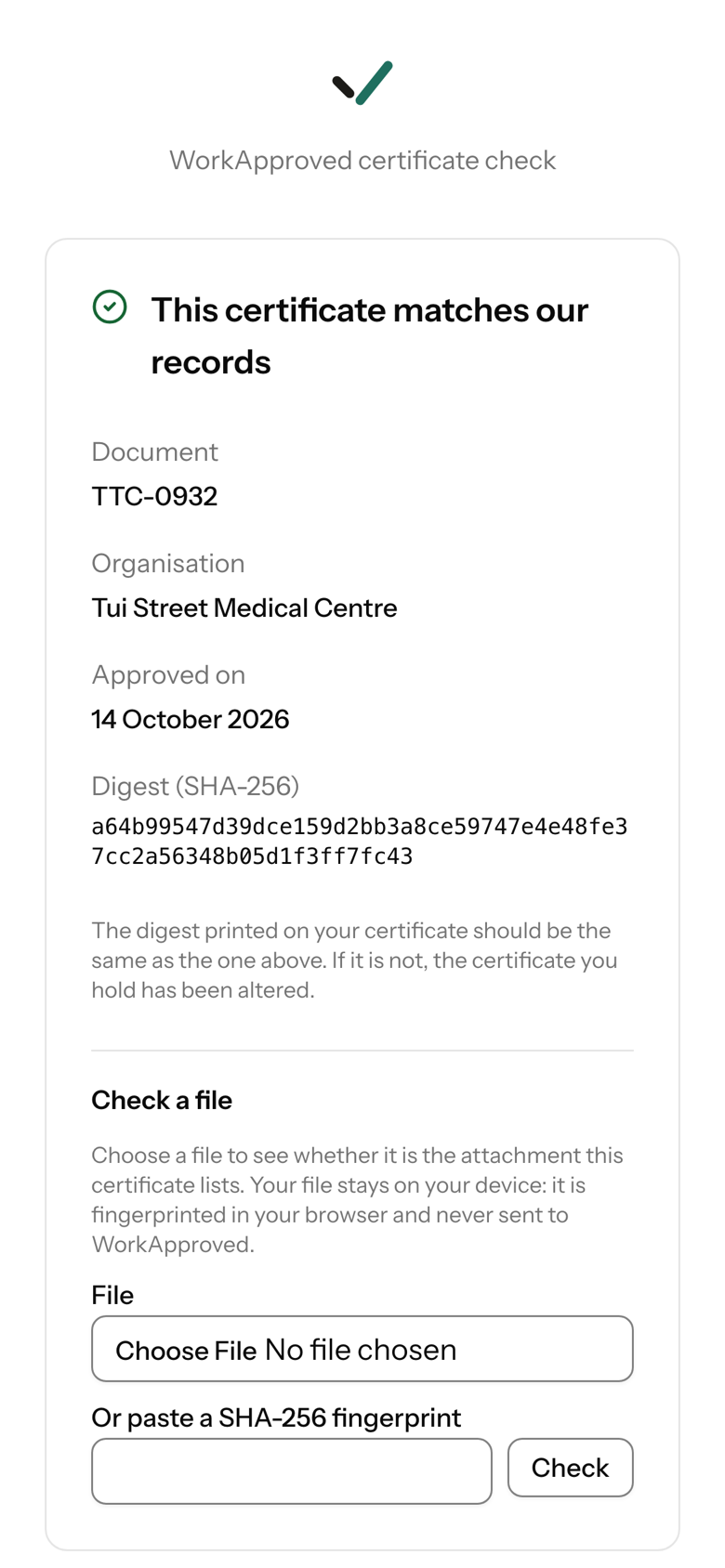
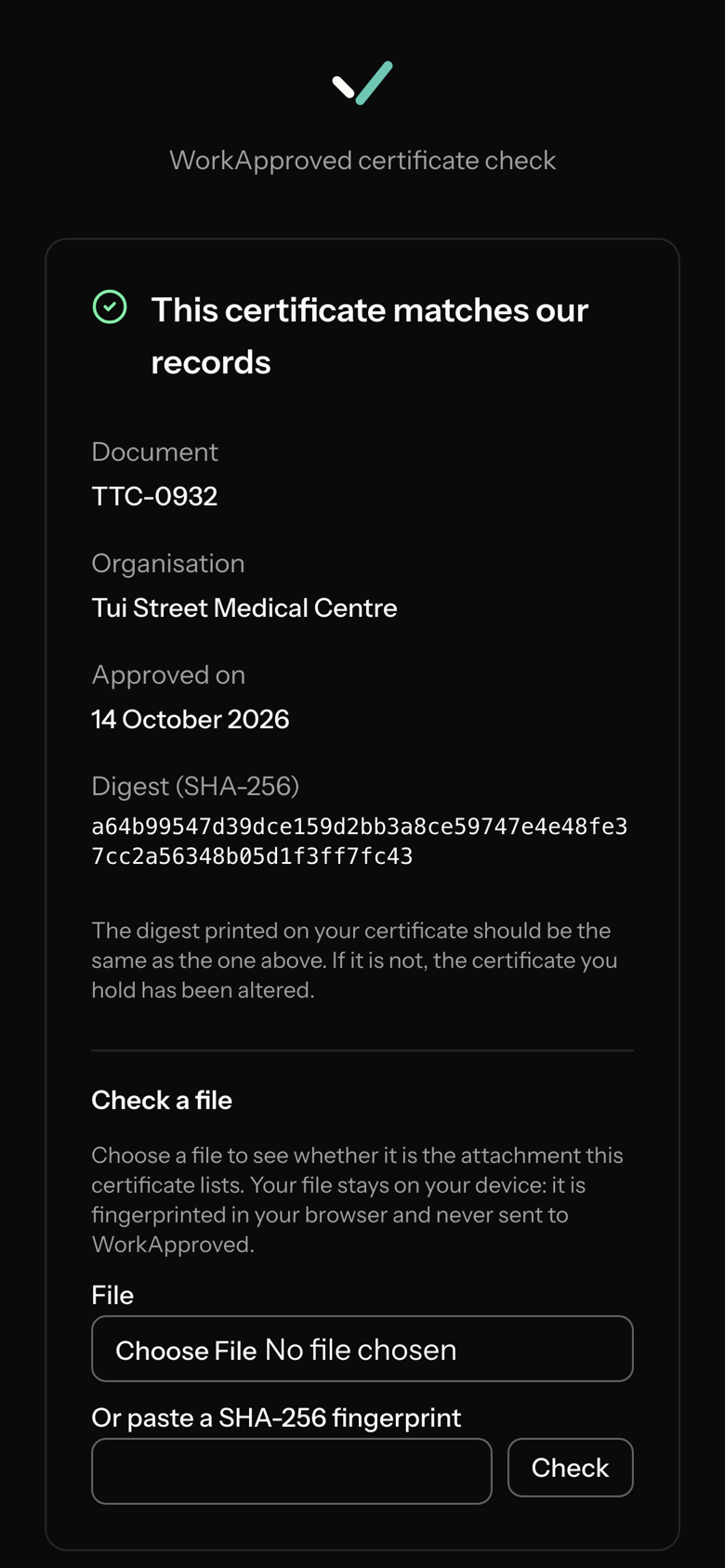
On approval a PDF certificate is attached to the document in Xero. It shows the document and its lines, the approval path (including skipped steps), who approved, when, and the approver's IP address where captured, with the supplier's attachments appended or listed with their SHA-256. Each certificate has a link to a public page that says whether it matches our records. Certificates are kept while your organisation is on WorkApproved.
Alerts
Alerts when something goes round the process
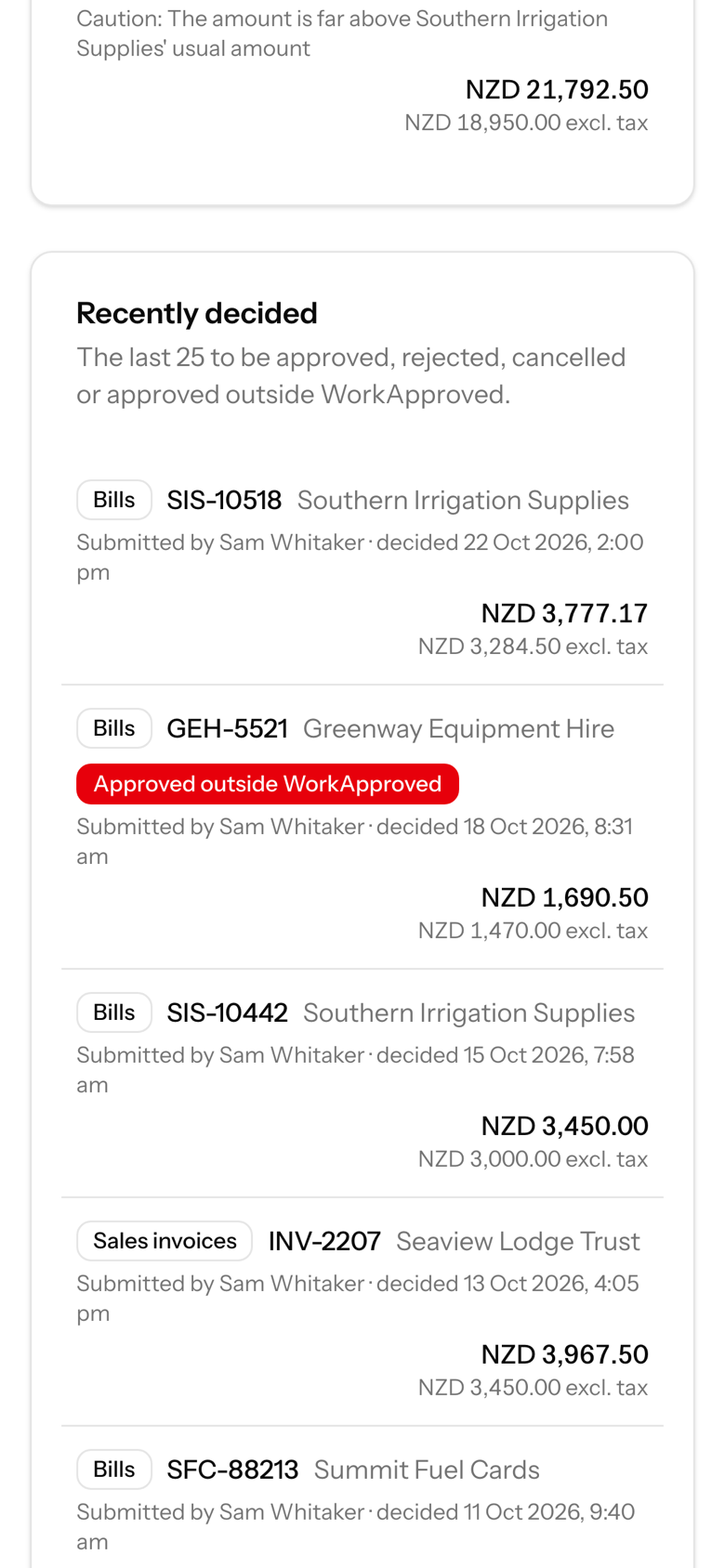
If someone authorises a document in Xero by hand, or a document changes after approval, your organisation's administrators are alerted for the document types you have switched on. If a supplier's bank account changes while approved bills are unpaid, administrators are told.
Connect Xero
Connect Xero and choose what needs approval
Connect with Xero's sign-in. Choose which document types are controlled: bills (purchase invoices), sales invoices and purchase orders. Each type has its own workflow, switched on separately. A document enters its workflow when it is submitted for approval in Xero; on final approval WorkApproved sets it to authorised in Xero. Rejected documents go back to draft with the reason written on them. Purchase orders arrive through a regular check of Xero (about every 30 minutes) instead of instantly. (Help: Connect Xero)
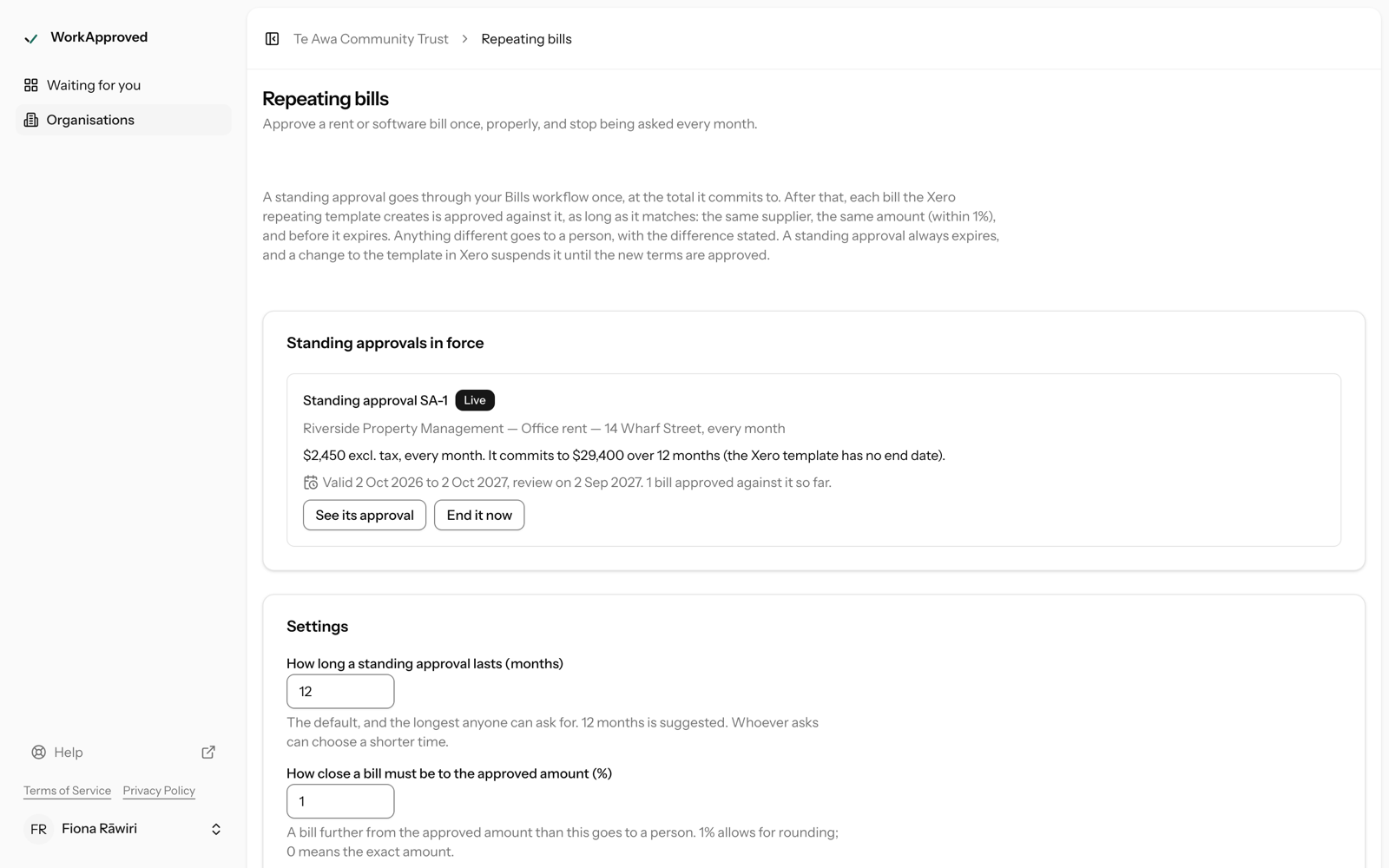
Repeating bills
Standing approvals for repeating bills
Approve a Xero repeating-bill template once. Matching bills are then approved automatically within a tolerance you set; any that differ go to a person with the difference stated. (Help: Standing approvals)
Queue and audit log
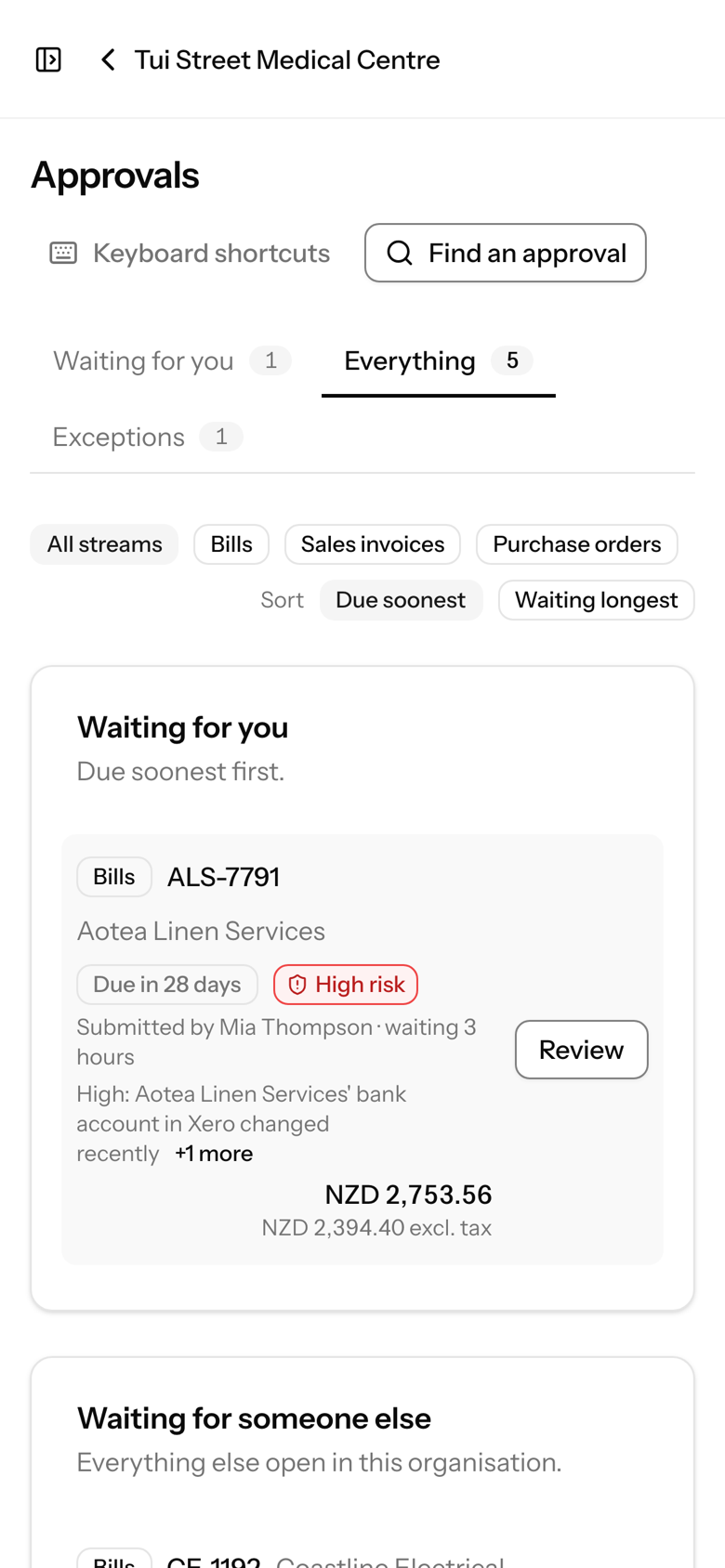
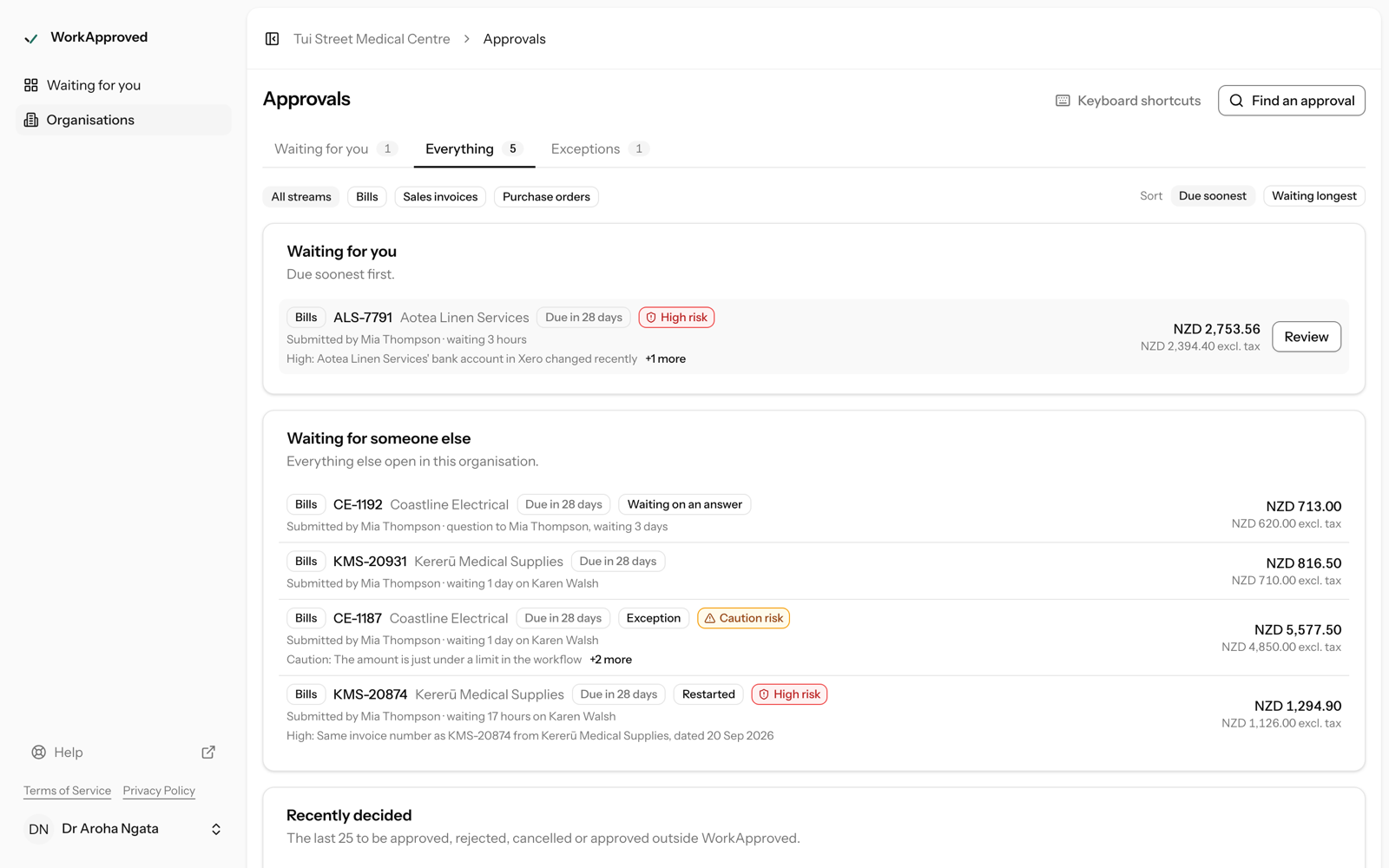
Queue, search and audit log
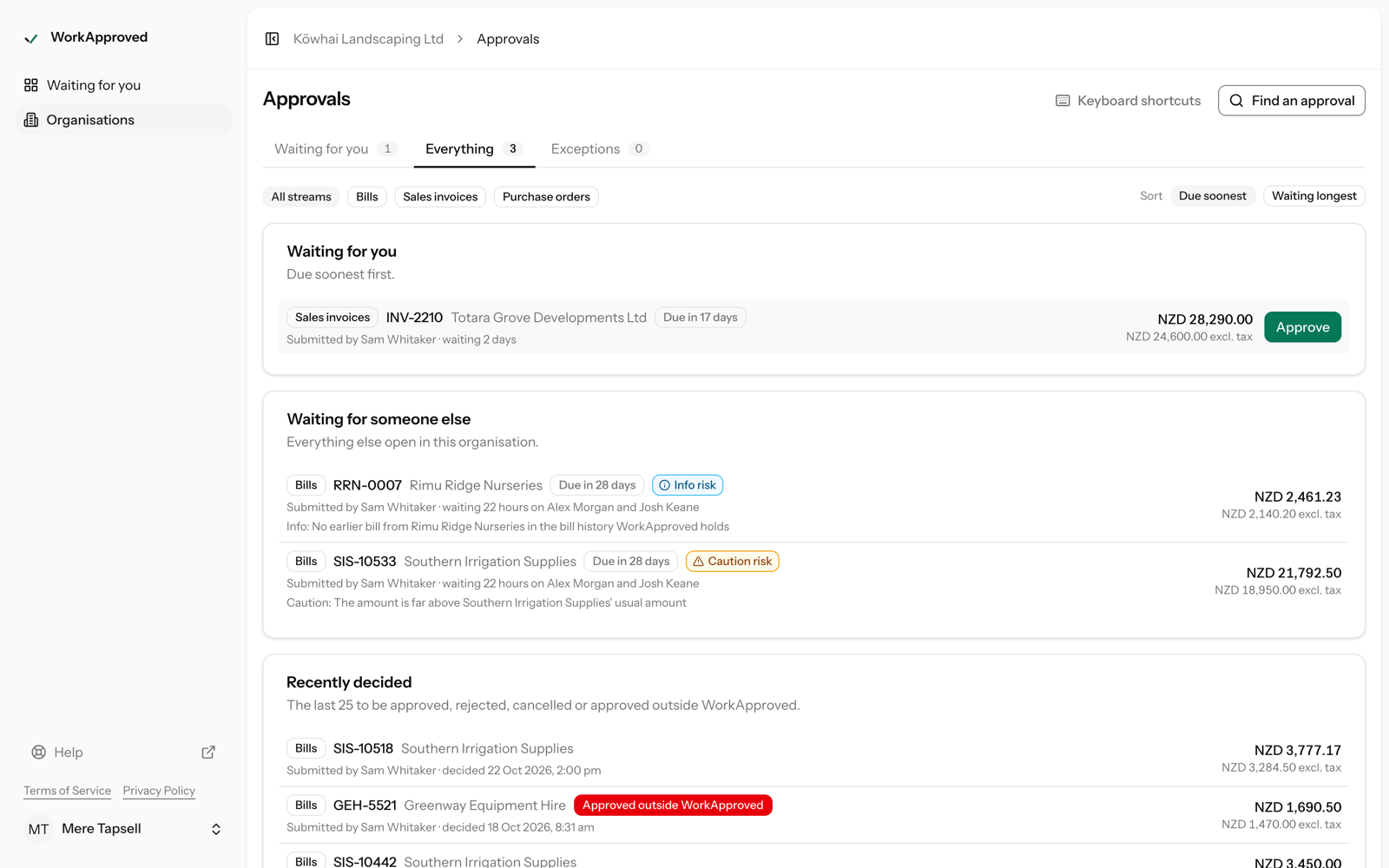
One queue across all your organisations, with tabs for waiting on you, everything and exceptions, and search by supplier, number, date and state. Every settings change is recorded in the audit log, every decision is recorded on the approval and on its certificate, and an Auditor role gives read-only access.
For accountants
For accountants: the partner console
One console for all your clients; assign your staff to clients; your logo, name and colour in your clients' emails and app header, with "powered by WorkApproved"; trials you can extend to 30 days; one consolidated bill at a partner rate. (For accountants)
Coming soon
Coming soon
Plus, planned at NZ$69 + GST per Xero organisation per month, will add approving and rejecting through your own AI assistant, longer retention of attachments and the audit log, and a tamper-evident, hash-chained audit log. Plus cannot be bought yet; email [email protected] to hear when it opens.
Screens shown are illustrative and evolve as we release improvements.
Guides: Approve Xero bills without a Xero login · Xero purchase order approval workflow · Two approvers for Xero bills: charities and trusts · Spot a changed supplier bank account on a Xero bill.